Anyone who regularly has to make large quantities of documents, PDFs or scans searchable via OCR — such as incoming invoices, contracts, client files or scanned archive documents — and would rather not do it manually has a simple option: setting up a monitored folder, known in technical jargon as a “hotfolder”.
Monitoring a folder via hotfolder
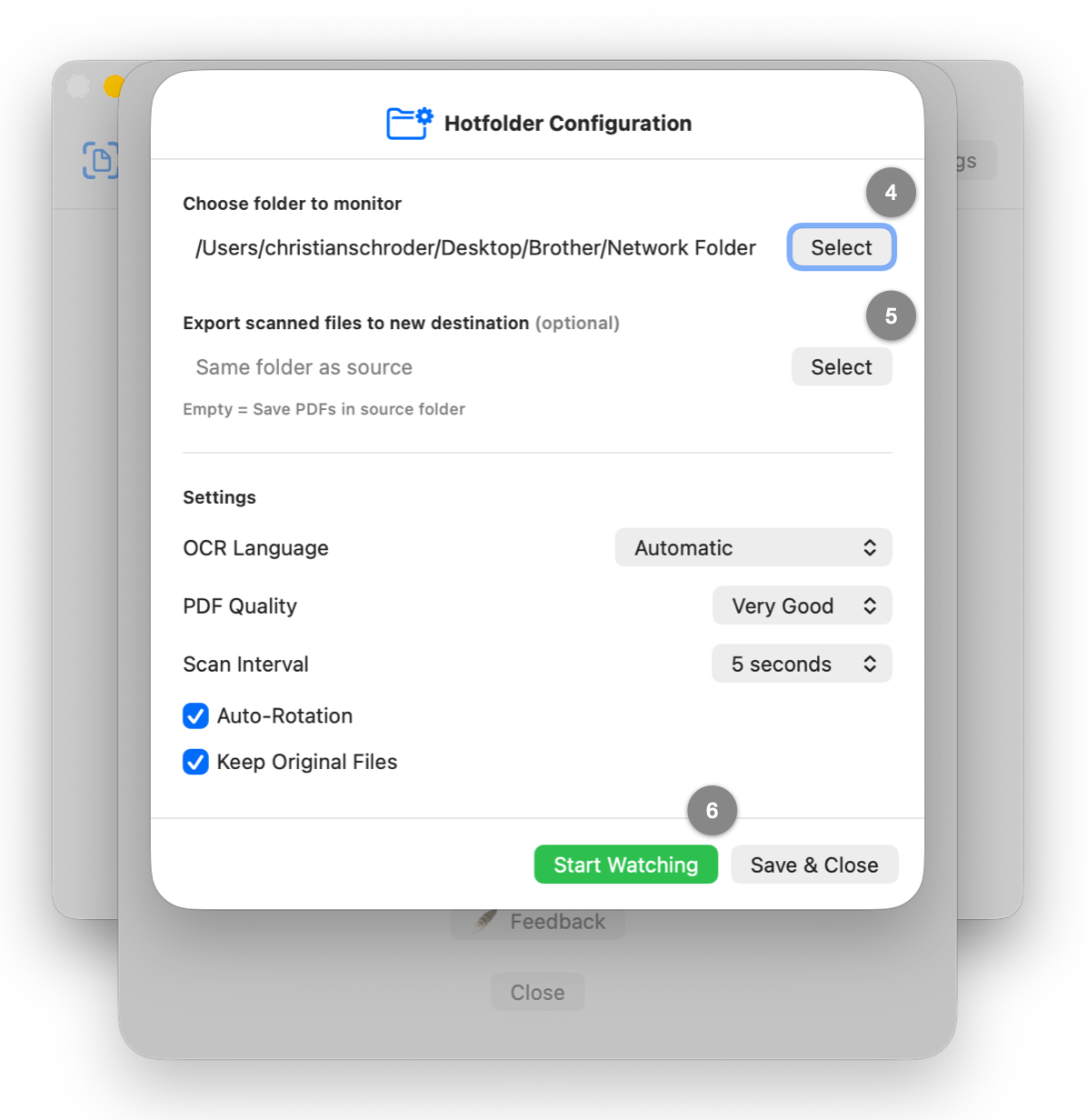
If you use a network scanner, new scans usually end up in a folder on the network or on your hard drive — often as PDF, PNG, JPEG or TIFF files.
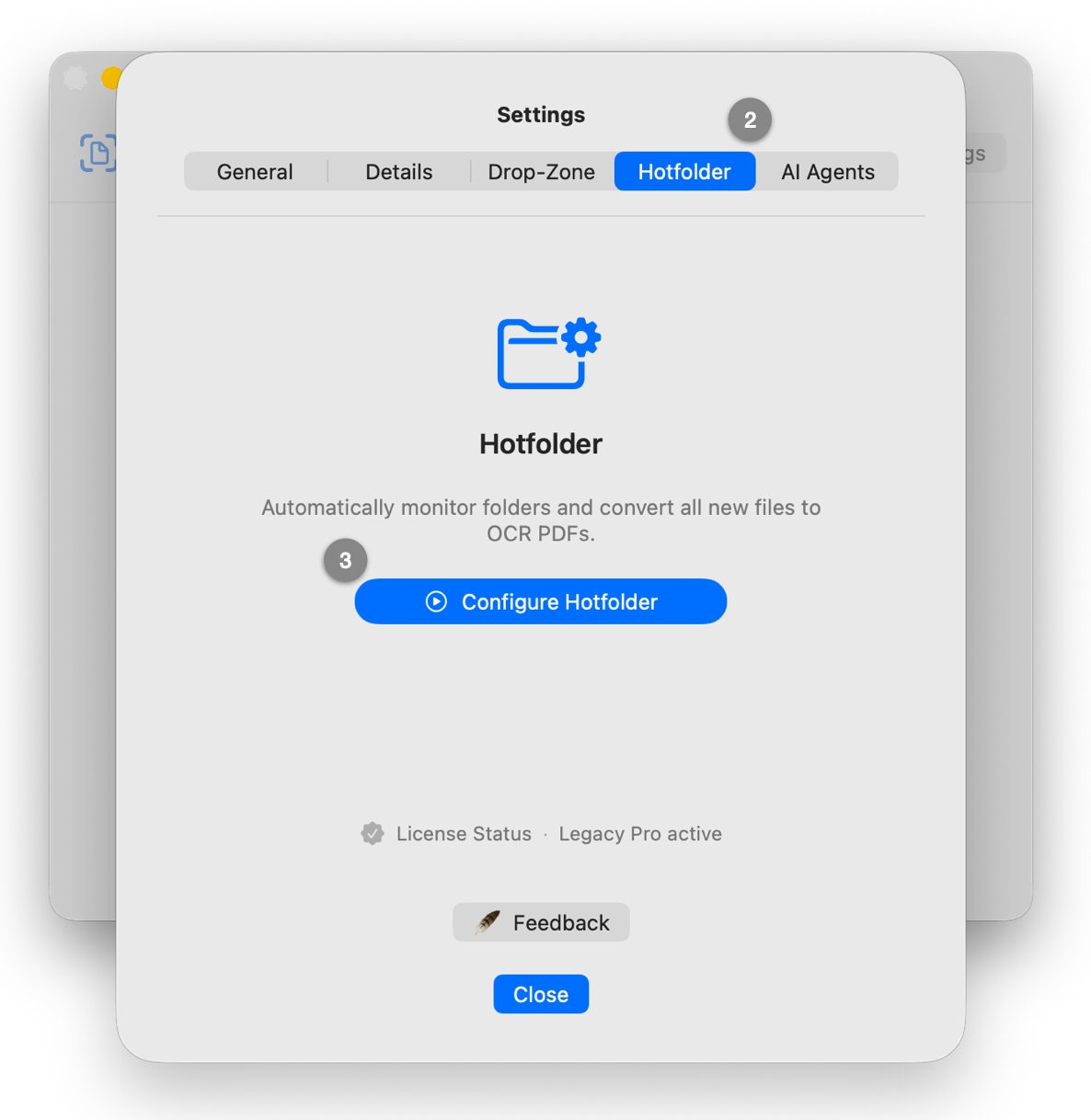
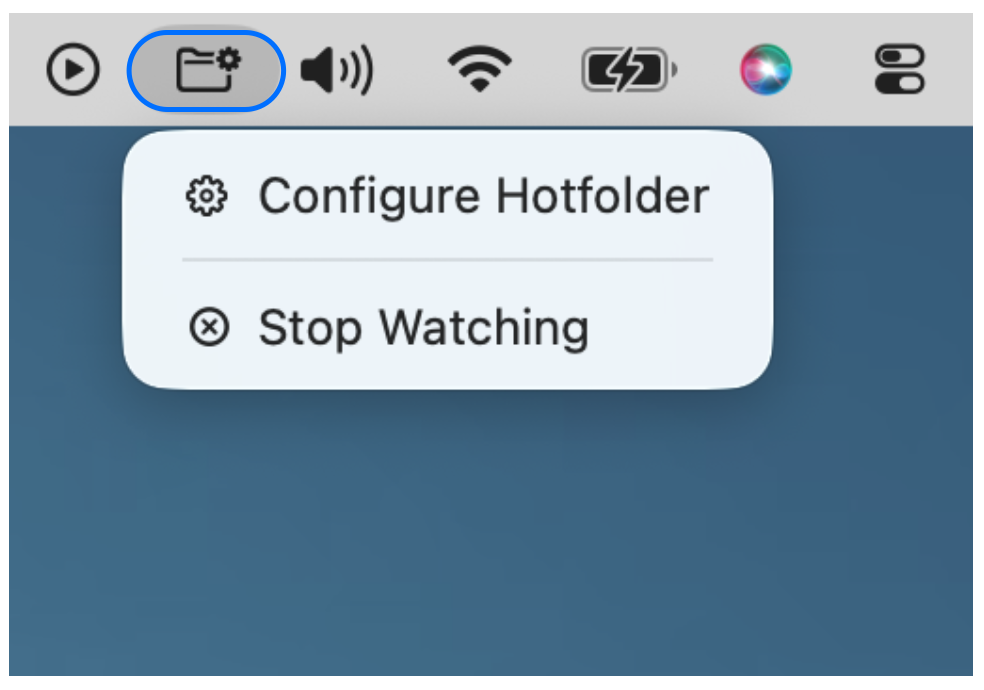
The hotfolder continuously monitors this folder in the background: as soon as new files are added, they are automatically processed using text recognition (OCR) and saved as a searchable PDF. This saves you from processing them manually at the end of the workday or over the weekend.
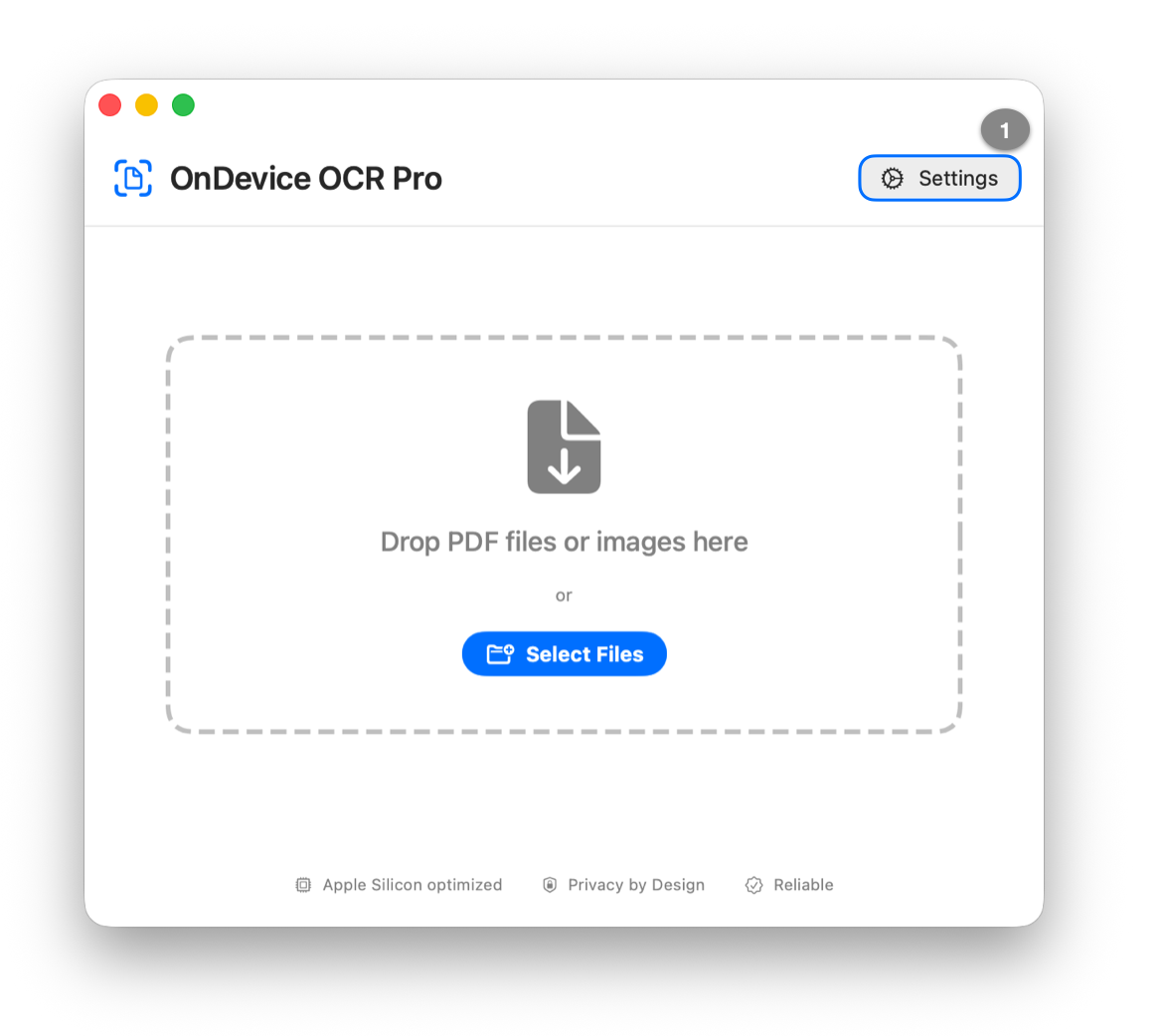
With OnDevice OCR Pro, this process is set up in just a few minutes: