OnDevice OCR Pro
For individuals
- 100% local processing
- Multilingual (13 languages)
- Batch processing
- Folder watching (hotfolder)
- Apple Shortcuts
- Ollama integration
- Image enhancement
- Intelligent Orientation
 OnDevice OCR Pro
OnDevice OCR Pro
OnDevice OCR Pro
Professional OCR for documents and PDFs.
Everything stays on your device.

4.9 stars on the Mac App Store.Requires macOS 14.6 or later.
Features
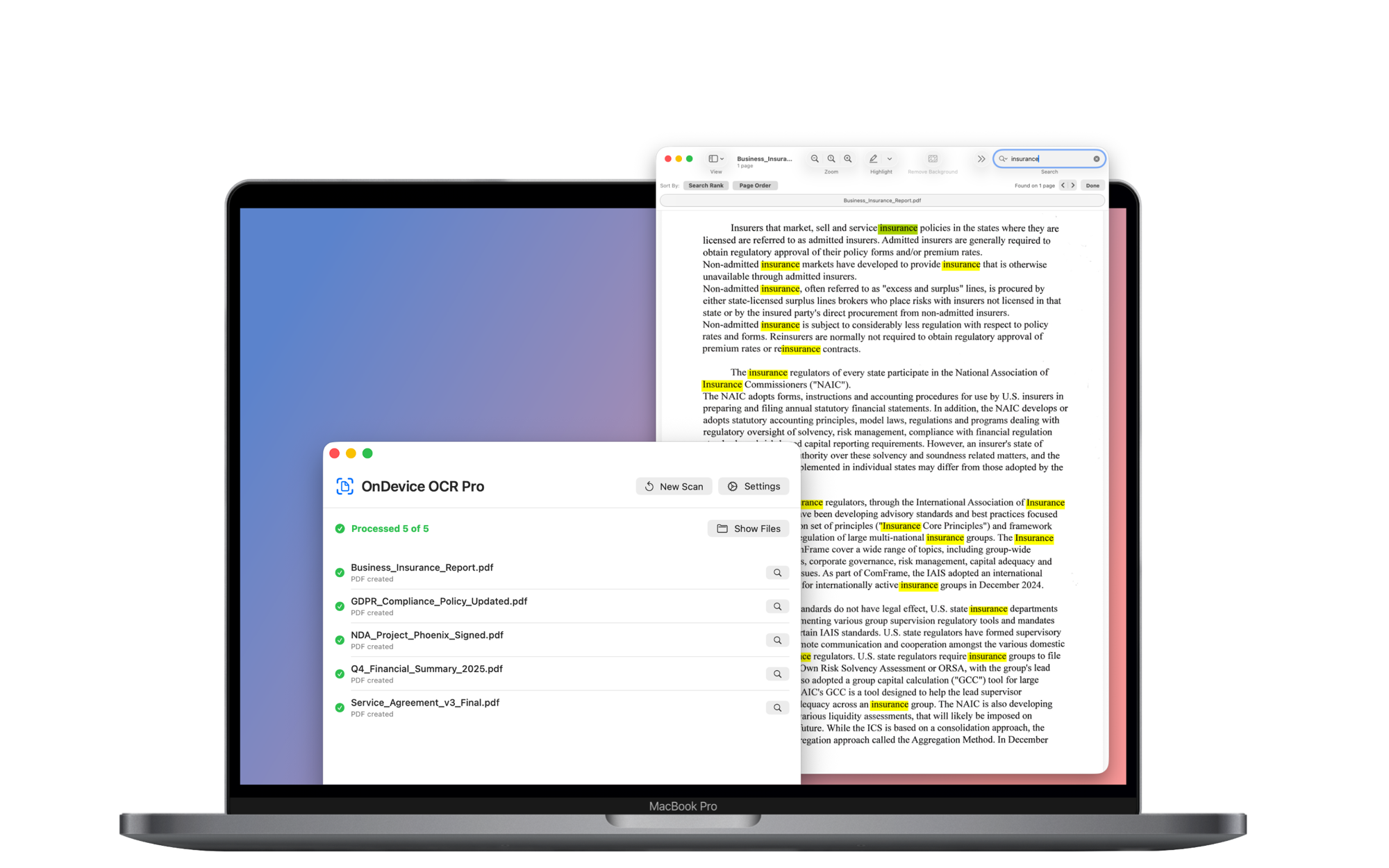
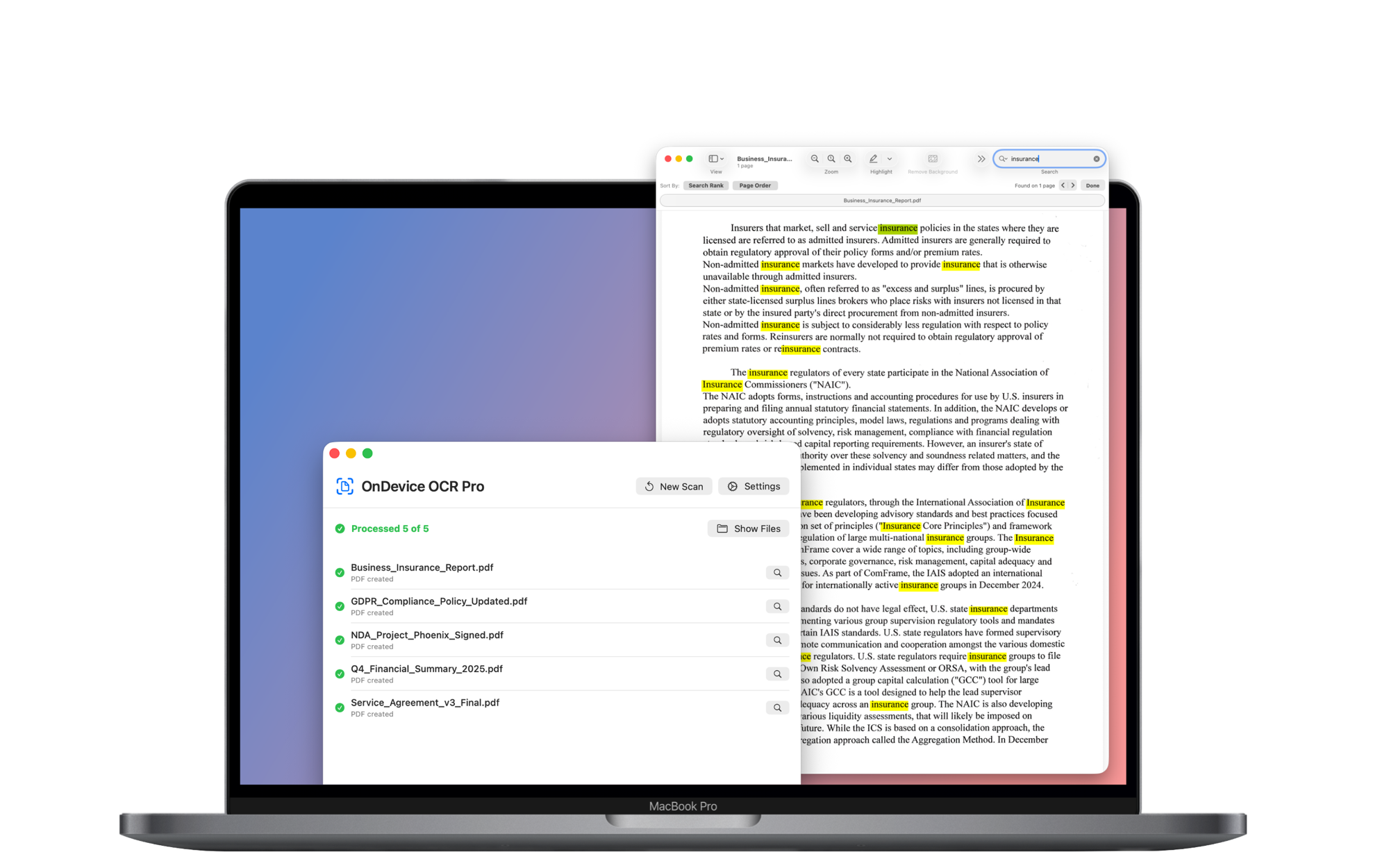
Enterprise-grade text recognition, powered by Apple’s latest Vision technology.
Process hundreds of pages in a single run.
Set up a hot folder and OCR new files automatically in the background.Read the Hot Folder guide
Recognizes text in 13 languages, including English, German, French, Spanish and more.
Automatically corrects rotated pages based on the text direction.
Automatically creates appropriate filenames based on document content—according to your templates and rules.
Use your own local AI models for file naming.
Save only a document’s text, useful for books and other long documents.
Integrate the app with Apple Shortcuts and Hazel for your own workflows and scripts.
Identifies digital PDFs, such as invoices, and skips them if you want.
Made for lawyers & doctors · archiving invoices & receipts · students & researchers.
Privacy by design
Designed for GDPR-conscious workflows. OnDevice OCR Pro processes documents locally on your Mac. The app does not upload your files, OCR text, filenames, or usage analytics to our servers. No account. No tracking. No cloud OCR.
A safe choice for sensitive legal, medical and financial documents.
Which version suits me?
For individuals
For companies and law firms
Everything in Pro, plus
You will receive a confirmation email first. After that, exactly one email once the version is available – unsubscribe at any time. Privacy notice
Download and try it for free.
FAQ
We couldn't find a matching question. Please contact us: [email protected]
Yes. For businesses, government agencies, and anyone who uses managed Macs without a personal Apple ID or needs an invoice showing a VAT ID number, there is a standalone version available for direct download.
You can fully test OnDevice OCR Pro after downloading it. Only the output documents will contain a watermark.
If you like it, you can proceed to checkout directly from the app.
At this time, there is no difference between the two apps. In the long term, it is theoretically possible that certain features—which cannot be implemented in the App Store version due to Apple's sandbox—will be available exclusively in the direct purchase version.
You will receive the license key via email after your purchase. Please also check your spam folder; if you don't receive anything, please contact [email protected].
Simply drag the license file into the app window, double-click to open it, or select it via the "Activate License" menu item.
Send an email to [email protected] with your proof of purchase.
You may install the app on all of your Macs.
If you purchased the app from the App Store, the direct purchase version will recognize your purchase and automatically activate the Pro version. The direct purchase only unlocks the direct purchase version. However, you can download it for free from our website at any time.
If you purchased the app from the App Store, you can also use the direct purchase version.
Paddle is the payment processor through which the purchase is technically processed.
Credit card, PayPal, Apple Pay, Google Pay, and other local payment methods depending on the country.
Yes. For direct purchases, our payment service provider Paddle processes the transaction and sends you the invoice via email after payment.
For buyers in the U.S.: The amount is the same in all states. Paddle lists the sales tax included on the invoice. Exemption is only possible in advance: To request it, send your tax exemption certificate to Paddle Support.
For buyers within the EU: VAT will be shown on the invoice. As a business customer, you can enter your VAT ID number during checkout—in which case VAT will not be charged. If you forgot to do so at the time of purchase, please contact Paddle Support or us: The invoice will then be corrected, and the tax will be refunded if it does not apply in your case.
For buyers in all other countries: Tax rules vary from country to country. Paddle automatically calculates the tax at checkout based on your location—so you’ll see the final amount before you buy. As a business customer, you can enter your tax ID during checkout; depending on your country, this may exempt you from tax, or the tax will remain on the invoice and you can claim a refund through your tax authority.
Request an invoice again, or add invoice details or a tax ID: all of this can be done through Paddle’s customer portal at paddle.net (English). Background information on taxes, invoices, and refunds can be found in Paddle’s frequently asked questions for buyers (English).
The amount shown is the final amount including tax; nothing is added on top. It only gets lower for business customers within the EU who enter their VAT number at checkout. It is never higher.
Yes—the one-time purchase includes all future updates to OnDevice OCR Pro as long as the app continues to be developed. No subscription, no recurring costs.
Yes, they receive the same updates as the App Store version. In the long term, it’s theoretically possible that certain features—which can’t be implemented in the App Store version due to Apple’s sandbox—will be available exclusively in the direct-purchase version.
No, the app does not require an internet connection to run or to be activated.
You may cancel the purchase agreement within 14 days of purchase and receive a refund.
A neural network that has been trained on real documents can recognize each letter in a document. The app then places those letters as an invisible, searchable text layer onto your PDF while keeping the original page exactly as it looks.
The app supports PDF files and the most common image formats, including JPEG, PNG, TIFF and HEIC/HEIF. You can drop in single files as well as whole folders.
OnDevice OCR Pro accurately recognizes text in 13 languages: English, German, French, Spanish, Italian, Portuguese, Dutch, Russian, Chinese (Simplified and Traditional), Japanese (Yokogaki), Korean, Turkish and Vietnamese.
Batch processing means handling many files at once: drop in hundreds of pages and OnDevice OCR Pro processes them all in a single run.
No. OnDevice OCR Pro is designed for printed and typed text. Handwriting is not supported as of yet.
OnDevice OCR Pro can distinguish between actual scans without a text layer and digital PDFs, such as invoices received by email. Digital PDFs are already searchable and do not need to be processed with OCR again. If your folders contain both actual scans and digital PDF files, OnDevice OCR Pro only processes files that are not yet searchable.
Intelligent Orientation detects the text direction on each page and automatically corrects pages that are rotated or upside down. It does not force landscape documents into portrait; pages are only corrected when the text direction indicates the page orientation is wrong.
OnDevice OCR Pro can read information such as invoice numbers, customer numbers, or reference numbers directly from the document and insert it into the filename. Templates determine how the filename is structured. Rules automatically select the appropriate template based on the document’s content—for example, one for invoices and another for letters. If a required value cannot be read, the file retains its usual name with “_OCR” appended.
Yes. If you have documents that have bad existing OCR, you can let OnDevice OCR Pro rescan those documents and apply a new OCR layer.
Yes, you can automate your workflow with OnDevice OCR Pro using either the Hot Folder or the Agentic Integration feature.
1) Hot Folder: The Hot Folder monitors a specific folder — for example, your scanner's network folder — and then automatically processes each new document in the background. Here's how to set up the Hot Folder.
2) AI agents: With the new Agentic Integration feature, you can instruct AI agents such as Claude Cowork, ChatGPT (Codex), or OpenClaw to process documents with OnDevice OCR Pro without opening the app.
Neither feature requires the main app to be open.
Yes. As soon as Hazel moves new PDFs into the app’s watched folder, the app processes them automatically in the background. Alternatively, you can have Hazel run our app’s Shortcuts actions directly.
Yes, you can connect OnDevice OCR Pro to Ollama and have your own local AI models name your documents automatically after text recognition.
The purchase price of OnDevice OCR Pro is a one-time payment of $12.99 — whether you buy it directly through our website or in the Mac App Store. You can download the app for free beforehand and test it fully with a watermark.
No. OnDevice OCR Pro is a one-time purchase and you can use it forever.
Yes, OnDevice OCR Pro is a universal app and runs natively on both Apple Silicon (M1 and later) and Intel Macs.
macOS 14.6 (Sonoma) or later. Currently, all essential features are available in every supported version.
Yes. OnDevice OCR Pro works fully offline — no internet connection is needed and nothing is ever sent to a server.
No. True to its name, OnDevice OCR Pro does not collect any user data whatsoever. No personal information ever leaves your Mac.
OnDevice OCR Pro is built for GDPR-compliant workflows: everything runs locally and no data is collected, so there is nothing that could leave your Mac in the first place.
This statement applies to OnDevice OCR Pro itself. If you connect external AI agents or automation tools, you are responsible for configuring their file access and data handling. OnDevice OCR Pro does not upload documents to AI services; it only provides the local integration interface.
4.9 stars on the Mac App Store.Requires macOS 14.6 or later.